
Starlink is a satellite internet dish you set on the ground (or mount on your rig), point at open sky, and manage from a phone app. We run the Gen 3 Standard Kit, and after more than a year of full-time RV life the verdict is short: it is the single piece of gear that makes this lifestyle possible for us, and if you work from the road it is worth every penny.
Some links on this page are affiliate and referral links, including Amazon links. As Amazon Associates we earn from qualifying purchases, at no extra cost to you. We only recommend gear we actually own and use.
Getting Starlink? Get a free month. Order directly from Starlink through our Starlink referral link and you get a free month of service, credited after your new service activates. Starlink sets the exact terms, so check the referral offer shown at checkout. It costs you nothing extra, and Starlink gives us a referral reward too, which helps keep our channel going. It only works on orders placed directly with Starlink through the link, not on kits bought from Amazon or a store.
Why we bought it
We both hold full-time jobs from the rig. Video calls, uploads, deadlines, all of it happens from wherever the Brinkley is parked that week. Before we ever spent a night in the RV, we knew campground Wi-Fi wasn't going to carry two remote jobs plus a weekly YouTube channel, and cell coverage gets thin exactly in the places we most want to camp.
So Starlink went in on day one, literally. The same afternoon we hitched up the Brinkley for the first time, between the backup camera and the tire pressure monitors, we unboxed the dish in the dealer lot and pointed it at the sky. Watching a speed test beat our old apartment's cable connection from a parking lot was the moment working from anywhere stopped being a theory.
How we use it
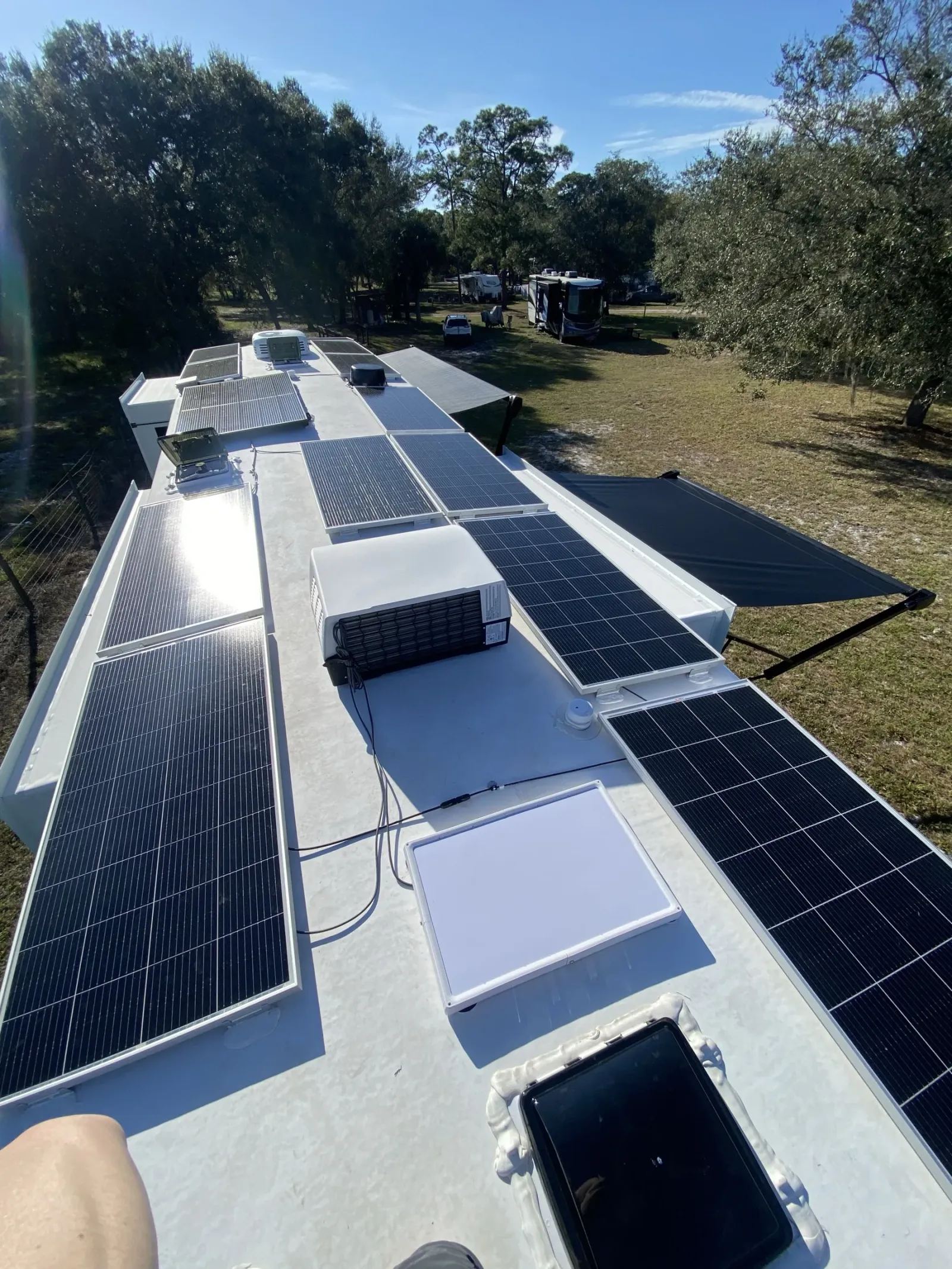
Most of the time it's boring, which is the highest praise internet gear can get. Ours lives on a magnetic mount on the roof of the RV, so usually there is nothing to set up at all. We park and it keeps working right where it is. Once in a while, if a tree is blocking the northern sky, we climb up and reposition the dish, but most of the time we just leave it mounted and get back to work.
Where it earns its keep is off-grid. During our 15-day boondocking challenge in Central Florida, eight days at Dupuis and seven at Hampton Tract, there were no hookups and no campground Wi-Fi, and Starlink was our only internet for the entire stretch. We did it again for a week at a state recreation area in Wisconsin, both of us working normal hours from a grassy site with nothing around. Neither trip would have been possible otherwise.
It has also rescued a travel day. On our drive to Louisville, the Walmart we planned to overnight at never answered the phone. What made the afternoon solvable is that the roof-mounted dish keeps working while we tow. The Starlink router lives in our kitchen pantry, so Fabiola rode in the truck with her laptop connected to our Starlink and hunted down a spot that would take a 40-foot fifth wheel, all while we rolled down the highway. Real internet from the truck seat, in the middle of nowhere.
What to know before buying
The dish needs open sky. Not "mostly open," open. Trees are the enemy, and we learned that the hard way during the boondocking challenge, when shade over our site turned into the biggest problem of the whole trip. The same tree cover that starved our solar panels is exactly what interrupts a satellite connection, so shady sites now get a hard look from us before we commit. Picking a spot with the right exposure has become part of how we choose campsites.
Two more things. The hardware price is only the entry fee; service is a monthly subscription, and the plans and pricing change often enough that you should check current numbers before you buy. And if you boondock, remember the dish runs all day off your batteries when you work like we do, so it needs to fit inside your power budget along with everything else.
One thing that catches remote workers off guard: you do not get an IP address of your own. Starlink puts customers behind carrier-grade NAT, which means your public address is shared with other people and changes on its own. For ordinary browsing that is invisible. For a job that allowlists IP addresses, or a bank that notices you signing in from a new city every week, it turns into extra login prompts and dropped sessions. We fixed it by running NordVPN with the dedicated IP option, so Nathan works from one fixed address no matter where the rig is parked.
Picking a site around the dish
Over time, choosing where to park has turned into a two-part puzzle we solve before we ever unhitch: sun for the solar panels, and clear sky for the dish. Starlink wants an open view of the northern sky, so a big part of scouting a boondocking spot is reading the trees and working out which way is north, then parking so the dish has an unobstructed lane in that direction. The same afternoon shade that steals watts from our panels is what drops a satellite connection mid-call, so the ideal site keeps both happy: panels facing the sun through the day, and a clear window to the north for the dish. When a spot can only give us one, we decide which matters more for that stay, and sometimes we angle the whole rig to thread the needle. It is a small habit that has saved us more dropped meetings and dead batteries than almost anything else we do.
When even the best parking spot leaves a tree over the roof, we have a backup: a 100-foot Starlink cable. It runs from the router in our pantry, out the bottom of the RV through the same port the water hose uses, and lets us put the dish wherever the sky is actually open. At one state park, the pad sat under trees, so we ran the cable to the end of the site and set the dish in the bed of the truck, aimed at clear northern sky. State parks tend to be heavy on shade, so that extra length has saved a stay more than once. If you work from the road, a long cable is a small thing to carry that opens up a lot more campsites.
Working remotely on Starlink from an RV
Both of us work full-time jobs from the rig, and Starlink carries all of it. Here is what working on it day to day looks like, beyond the dish itself.
Our plan, and how calls hold up
We're on Roam Unlimited. Nathan doesn't do video calls very often, but when he does, he hasn't noticed any issues at all. We also stream Netflix and everything else on it, all the time, without trouble.
Online from the passenger seat
Our dish is mounted on the RV roof, so while we drive, Fabiola can sit in the truck's passenger seat with her laptop and, generally speaking, stay on the internet coming from the rig. That's our experience, not a promise. Starlink's help center says in-motion use is allowed on Roam plans and not on Residential plans, and it lists which dishes it supports in motion, so check Starlink's current in-motion terms for your own kit and plan before you count on it.
Give each person a room
Bandwidth isn't the only thing two remote workers share in an RV. Our Brinkley has two offices, Nathan's up front and Fabiola's in the back, with a door between them. That door is the difference between two productive workdays and two people on video calls talking over each other. You can see both offices in our full-time RV tour.
Plan for the changing IP address
As we said above, Starlink's public IP address is shared and changes on its own, and that is what trips up work logins and IP allowlists. Nathan runs NordVPN with the dedicated IP add-on, so his job sees one fixed address wherever we're parked. On a good connection with a nearby server, we don't notice the VPN on video calls or uploads. Talk to your IT department before you set it up, not after. The longer version is in why we use a VPN in the RV.
Budget the dish into your power when you boondock
Starlink's spec sheet for its Standard dish lists average power consumption of 75 to 100 watts (checked October 2026). We haven't metered ours. Left on around the clock, that works out to roughly 1.8 to 2.4 kilowatt-hours a day. That's arithmetic from the spec, not a reading from our battery monitor.
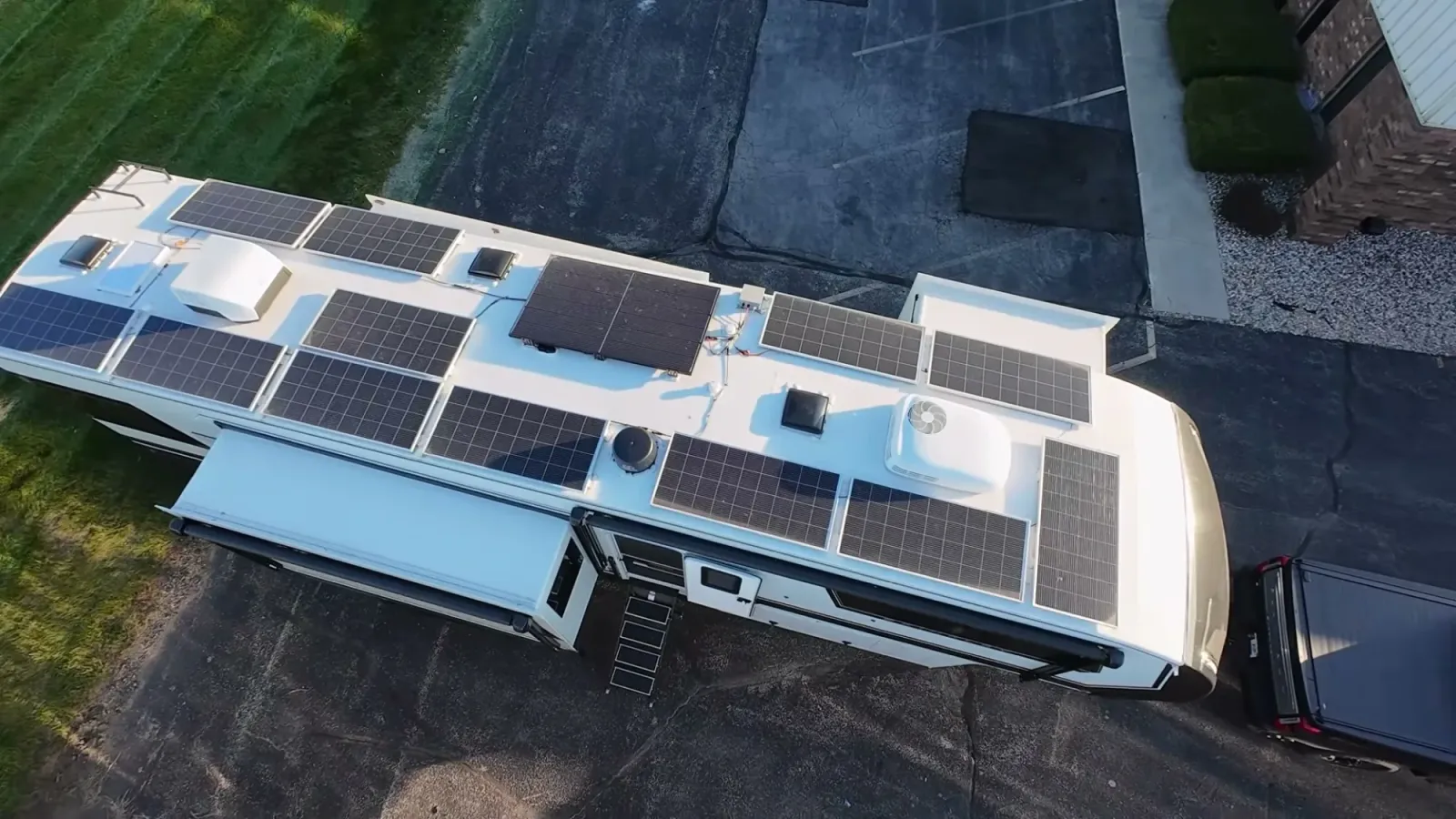
On our rig it's one load among the laptops, the fridge and everything else, all running off six 24V 100Ah lithium batteries and about 2,770 watts of solar, which is covered in our solar and battery setup. So when we boondock through a workweek, we pick the site for sun on the panels as well as open sky for the dish, the two-part puzzle described above.
What it costs us
Starlink averaged $128 a month for us in the year we tracked, from our full-time RV cost breakdown. Plans and prices change often, so check current numbers before you budget.
Setting up to work from the road
Order directly from Starlink through our Starlink referral link and you get a free month of service, credited after your new service activates. Starlink sets the exact terms, so check the referral offer shown at checkout.
Where to get it
We bought the standard residential-style kit and travel with it, no special RV version needed. The best way to get one is to order directly from Starlink with our referral link: you get a free month of service, credited after your new service activates, and we get a referral reward too. Starlink sets the exact terms, so check the referral offer shown at checkout. The Gen 3 Standard Kit is also on Amazon if you would rather order there, but a kit bought on Amazon doesn't come with the referral free month. Either way the box has the dish, the router, and the cables, and setup really is put it outside, plug it in, follow the app.
Starlink is one piece of a bigger system for us. The rest of the kit that gets our videos filmed, edited, and uploaded is in our filming and internet tech roundup. And since the dish is only as good as the batteries behind it, see the SOK lithium batteries that keep it running off-grid, plus the Gen-Y gooseneck hitch that got us to all these places in the first place.
Starlink for RV FAQ
Is there a Starlink referral code for a free month?
Yes. Order directly from Starlink using our referral link and you get a free month of service, credited after your new service activates. Starlink sets the exact terms, so check the referral offer shown at checkout. Kits bought on Amazon or in a store don't count.
Do you need a special Starlink for an RV?
We didn't. We use the Gen 3 Standard Kit on a magnetic mount on the roof, and it travels with us everywhere.
Does Starlink work while you tow?
Ours has. The dish is mounted on the roof and the router rides in our pantry, and Fabiola has worked from the truck while we towed.
Does Starlink work under trees?
Not well. It needs open sky, especially to the north. We park with that in mind and carry a 100-foot cable so we can move the dish to a clear spot.